
A compact charger can replace several power bricks, but only when its ports, protocols, cable, and power-sharing behavior match the equipment in your bag. The large wattage printed on the case is a starting point—not a promise that every port delivers that amount simultaneously.
Quick answer: choose around the highest-power device
| Charger class | Best fit | Confirm before buying | Main compromise |
|---|---|---|---|
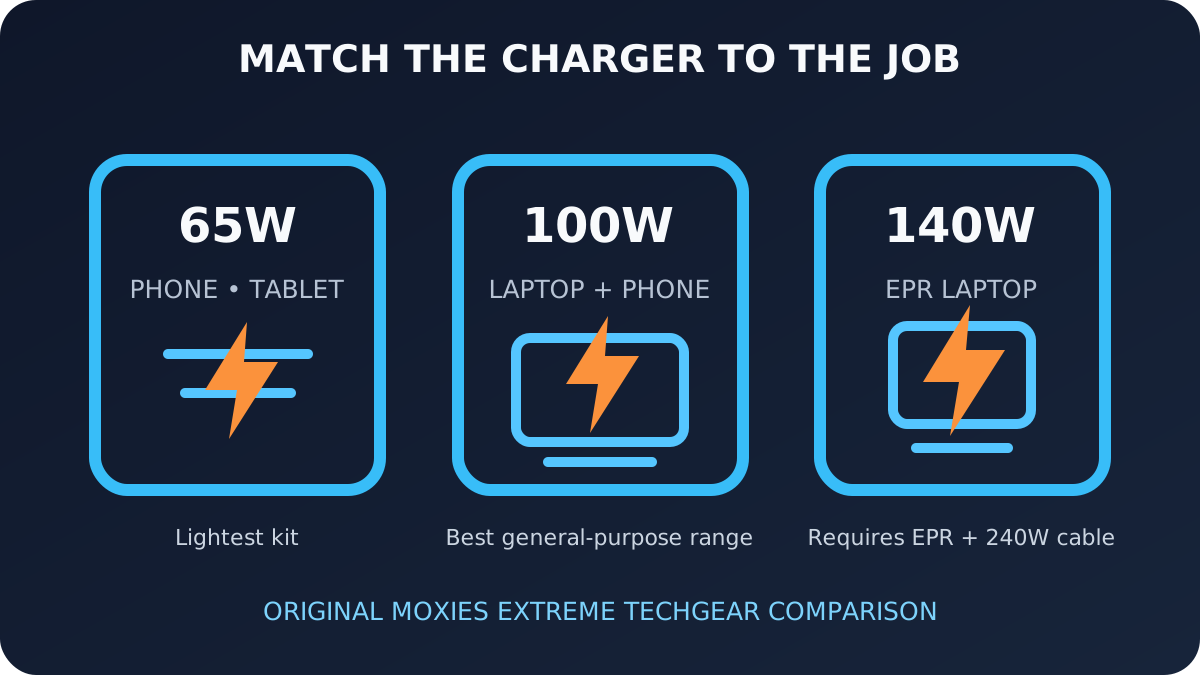
| 45–65W | Phones, tablets, handhelds, and many thin laptops | Maximum output from the primary USB-C port | Little headroom when a second device connects |
| 100W | One USB-C laptop plus a phone or tablet | Whether one port can actually supply 100W | Shared output often reduces laptop power |
| 140–145W USB PD EPR | Compatible higher-power laptops and multi-device travel | 28V EPR support and a 240W cable | Higher cost; not every laptop accepts EPR |
| 160–200W shared | Two laptops or a portable desk setup | The exact two-port and three-port allocation table | Larger and heavier than a simple travel brick |
Five travel chargers worth comparing
These are handpicked comparison starting points, not claims of personal ownership or laboratory testing. Model revisions and port allocations can change, so use the manufacturer’s current power table as the final authority.
Anker Prime 100W 3-Port GaN Charger
Useful for travelers who want one high-power USB-C port plus secondary phone or accessory charging in a compact body.
UGREEN Nexode 100W 4-Port GaN Charger
A practical candidate when the travel bag includes a laptop, phone, watch, or older USB-A accessory.
Baseus 100W Multi-Port GaN Charger
Worth comparing when price and several ports matter more than having the smallest possible charger.
Satechi 145W USB-C 4-Port GaN Travel Charger
A stronger fit for a travel workstation or users who value interchangeable regional adapters and several USB-C outputs.
Apple 140W USB-C Power Adapter
A straightforward reference choice for a compatible high-power laptop when one port and predictable single-device charging matter most.
Why the port-allocation chart matters more than the headline number
A “100W” three-port charger may deliver close to its headline rating only when one specific USB-C port is used alone. Connect a phone and the charger might divide its output—for example, prioritizing the laptop while reserving a smaller amount for the phone. The precise split varies by model. Some chargers also pause for a moment when a new device connects so they can renegotiate power.
- Find the maximum output of each individual port.
- Read every combination that matches how you will actually travel.
- Put the laptop on the manufacturer-designated high-power port.
- Confirm whether the charger reallocates power dynamically or uses fixed splits.
- Check whether connecting or disconnecting a device briefly interrupts charging.
100W versus 140W: the cable is part of the system
USB Power Delivery originally reached 100W through 20 volts at 5 amps. USB PD 3.1 Extended Power Range added higher levels, including 140W at 28 volts and 5 amps. Reaching that higher level requires compatible hardware at every point: charger, cable, and computer.
Current USB-IF power-label categories distinguish 60W and 240W USB-C cables. A 240W-rated cable does not force extra power into a device; it provides the supported ceiling while the connected equipment negotiates what it can accept. For travel, label the cable you trust instead of mixing it with lower-rated lookalikes.
What GaN changes—and what it does not
Gallium-nitride power components can support smaller, more efficient charger designs than older silicon approaches. That helps with luggage space and heat management, but “GaN” by itself does not prove good power allocation, electrical safety, thermal design, or long-term reliability. Compare the complete product: clear specifications, recognized safety information, warranty, plug stability, and usable spacing around outlets.
Recommendations by travel style
One laptop and one phone
Start with a compact 100W model that keeps enough laptop output when the phone is connected. This is the most versatile category for many USB-C ultrabooks.
High-power laptop
Use a 140W-class EPR charger only when the computer supports it. Otherwise, a smaller charger may provide the same accepted power with less bulk.
Two laptops or a portable workstation
Look beyond the total wattage. A 160–200W shared charger is useful only if its two main ports can sustain the outputs both computers require.
International travel
Confirm voltage support, but remember that plug shape still varies. Use a reputable travel adapter or a charger with manufacturer-supplied regional heads; a simple shape adapter does not convert voltage.
Pre-trip checklist
- Match the laptop’s recommended USB-C input and supported PD profile.
- Pack a clearly marked 240W cable for any EPR setup.
- Confirm the charger fits securely without blocking adjacent outlets.
- Test your real multi-device combination before leaving.
- Keep a small backup cable separate from the main charging kit.
- Prefer clear certification, warranty, and support information over an unusually low price.
Frequently asked questions
Is a 100W charger enough for a laptop?
It is enough for many USB-C laptops, but check the manufacturer’s recommended input and the charger’s maximum output from one port.
Do I need a special cable for 140W charging?
Yes. A 140W USB PD EPR setup requires a compatible charger, device, and a properly rated 240W USB-C cable.
Does a 160W charger provide 160W from every port?
Usually not. Multi-port ratings are commonly shared totals, so output changes when several devices are connected.
Can a higher-wattage charger damage a phone?
With standards-compliant USB Power Delivery equipment, the device negotiates the power it accepts. Quality, certification, and cable condition still matter.
Should I buy one charger for every device?
A well-matched multi-port charger can replace several bricks, but confirm its two- and three-port allocation before relying on it for travel.